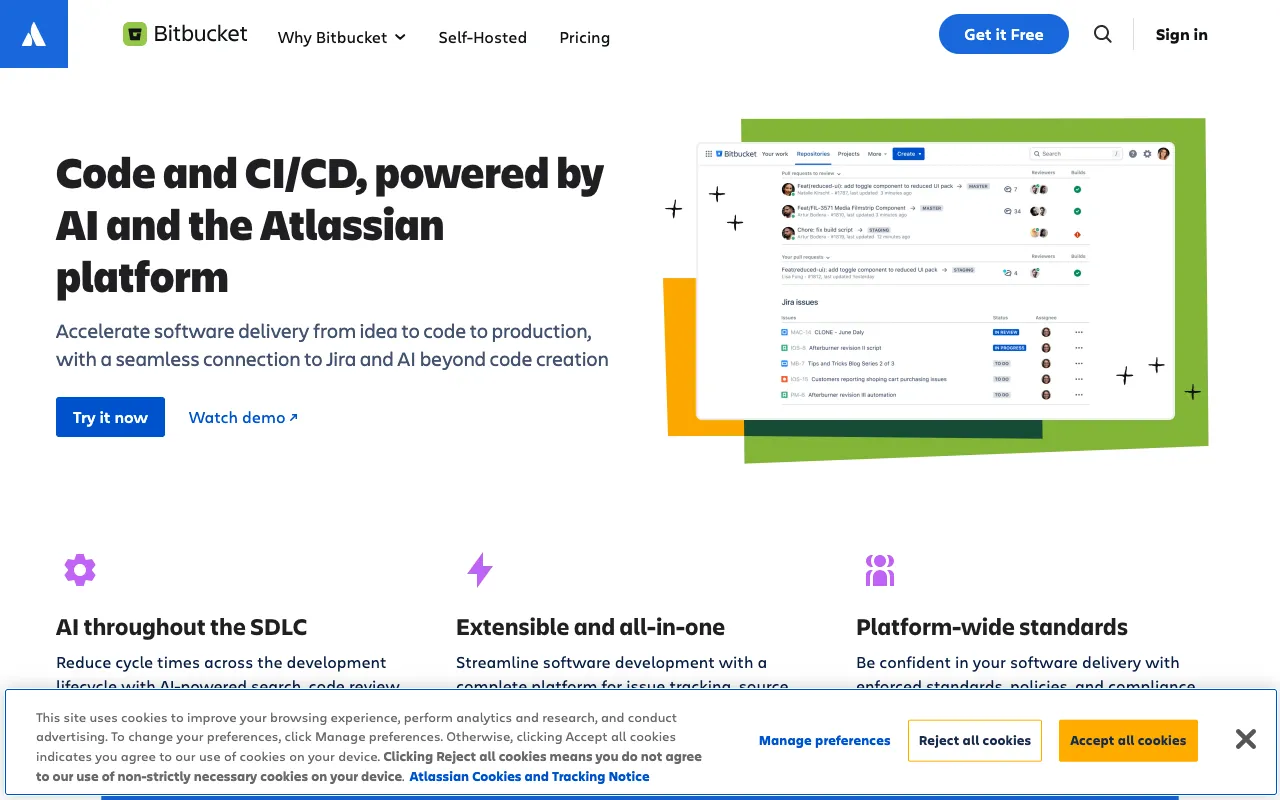
Bitbucket – The Complete Git Solution for DevOps Engineers
Bitbucket by Atlassian is more than just Git hosting—it's an integrated platform for modern DevOps. Combining powerful repository management with native CI/CD pipelines and deep Jira integration, Bitbucket provides a unified workflow for development, testing, and deployment. Built for teams that need to ship code faster while maintaining security and collaboration, it eliminates toolchain fragmentation and accelerates delivery pipelines.
What is Bitbucket?
Bitbucket is Atlassian's enterprise-grade Git repository management solution designed specifically for DevOps and development teams. While it provides robust Git hosting with features like pull requests, code review, and branch permissions, its true power lies in its integrated toolchain. Unlike standalone Git hosts, Bitbucket includes built-in CI/CD (Bitbucket Pipelines), deep integration with Jira Software and Trello, and enterprise security features. This makes it a comprehensive platform for managing the entire software delivery lifecycle from code commit to deployment.
Key Features of Bitbucket
Built-in CI/CD with Bitbucket Pipelines
Bitbucket Pipelines provides native, configuration-as-code CI/CD directly within your repository. Define your build, test, and deployment workflows using a simple YAML file. Pipelines run in isolated Docker containers, offering consistent environments and parallel execution to speed up your DevOps processes without relying on external CI services.
Deep Jira and Trello Integration
Bitbucket offers seamless, two-way integration with Jira Software and Trello. Automatically create branches from Jira issues, see deployment status directly in Jira, and link commits and pull requests to tickets. This creates traceability from idea to deployment, improving collaboration between development, operations, and product teams.
Enterprise Git Repository Management
Manage code with enterprise-grade features including fine-grained branch permissions, mandatory code review with pull request approval workflows, IP whitelisting, and SAML SSO. Bitbucket supports both Git and Mercurial repositories, offering flexibility for teams with diverse version control needs.
Deployments with Environments
Bitbucket's Deployments feature allows you to model your staging, testing, and production environments. Track which commits are deployed where, set environment-specific variables, and implement approval gates for production releases, providing visibility and control over your deployment pipeline.
Who Should Use Bitbucket?
Bitbucket is ideal for DevOps teams, engineering managers, and developers working in Agile environments, especially those already using Atlassian products. It's particularly valuable for teams that want an integrated toolchain rather than managing multiple disparate services. Organizations practicing CI/CD, those requiring tight integration between development and project management (Jira), and enterprises needing robust security and compliance features will benefit most from Bitbucket's unified platform approach.
Bitbucket Pricing and Free Tier
Bitbucket offers a generous free tier for small teams and open-source projects. The Free plan includes unlimited private repositories for up to 5 users, 50 build minutes per month for Pipelines, and 1 GB of file storage. Paid plans (Standard and Premium) scale for larger teams with features like increased build minutes, deployment environments, IP allowlisting, and advanced security controls. Pricing is per user, making it scalable for organizations of all sizes.
Common Use Cases
- Automating CI/CD pipelines for microservices deployment
- Managing Git repositories with Jira integration for Agile teams
- Implementing secure code review and branch permissions for enterprise development
Key Benefits
- Reduces DevOps toolchain complexity with integrated Git, CI/CD, and deployment management
- Accelerates software delivery through automated pipelines and environment tracking
- Improves cross-team visibility by linking code changes directly to Jira issues and project goals
Pros & Cons
Pros
- Integrated CI/CD (Pipelines) eliminates need for separate service configuration
- Best-in-class Jira and Trello integration enhances DevOps collaboration
- Strong security features with branch permissions, IP whitelisting, and SAML SSO
- Generous free tier suitable for small teams and personal projects
Cons
- Build minutes on free tier may be limiting for active CI/CD pipelines
- Primarily optimized for teams already invested in the Atlassian ecosystem
- Interface can feel complex compared to simpler Git-only repository hosts
Frequently Asked Questions
Is Bitbucket free to use?
Yes, Bitbucket offers a free tier with unlimited private repositories for up to 5 users, including 50 CI/CD build minutes per month and 1 GB of file storage. This makes it an excellent choice for small teams, startups, and open-source projects.
Is Bitbucket good for DevOps engineers?
Absolutely. Bitbucket is specifically designed for DevOps workflows. Its integrated CI/CD pipelines, deployment environment management, and deep Jira integration provide a unified platform that reduces toolchain complexity and accelerates the software delivery lifecycle, making it a top choice for DevOps practitioners.
How does Bitbucket compare to GitHub and GitLab?
Bitbucket distinguishes itself with its native integration with the Atlassian ecosystem (Jira, Trello, Confluence). While GitHub excels in community and open-source, and GitLab offers an all-in-one DevOps platform, Bitbucket provides the tightest workflow integration for teams already using Jira for project management, making it particularly efficient for enterprise DevOps.
Does Bitbucket support CI/CD?
Yes, Bitbucket includes native CI/CD through Bitbucket Pipelines. You can define build, test, and deployment workflows as code using a YAML configuration file, with pipelines running in isolated Docker containers. This built-in functionality eliminates the need to configure and maintain a separate CI/CD service.
Conclusion
For DevOps teams seeking a unified platform that bridges code management, continuous integration, and project tracking, Bitbucket represents a compelling solution. Its integrated approach—combining robust Git hosting with native CI/CD pipelines and seamless Jira integration—reduces toolchain friction and accelerates delivery cycles. While particularly powerful within the Atlassian ecosystem, its generous free tier and enterprise features make it a versatile choice for teams of all sizes looking to streamline their DevOps workflows and improve collaboration between development and operations.